Login
Login
Shipping Country
Super CLEARANCE CAMPAIGN - Selected tools and accessories with Super Special prices! - CHECK HERE
READ MORE
Login
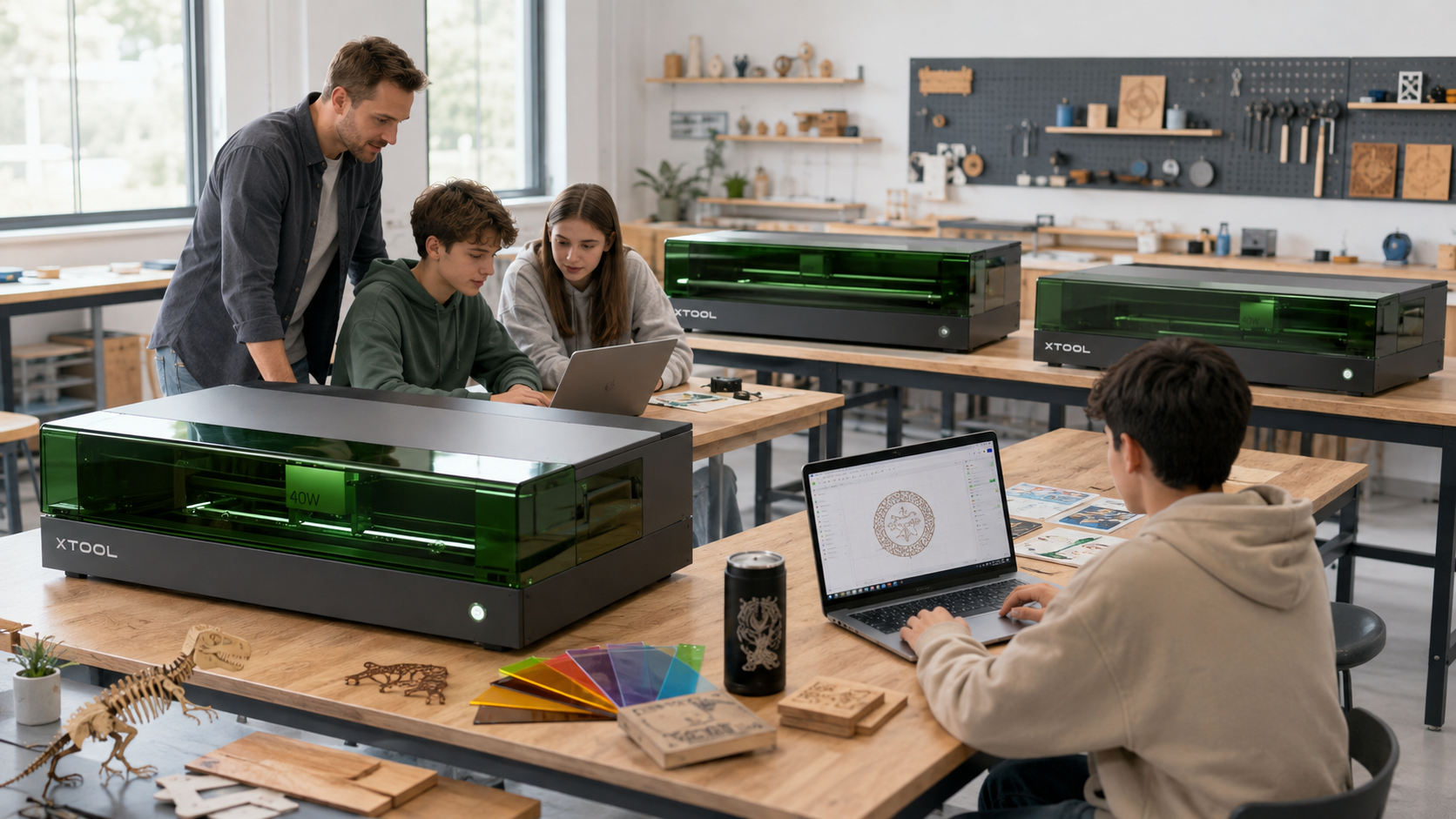
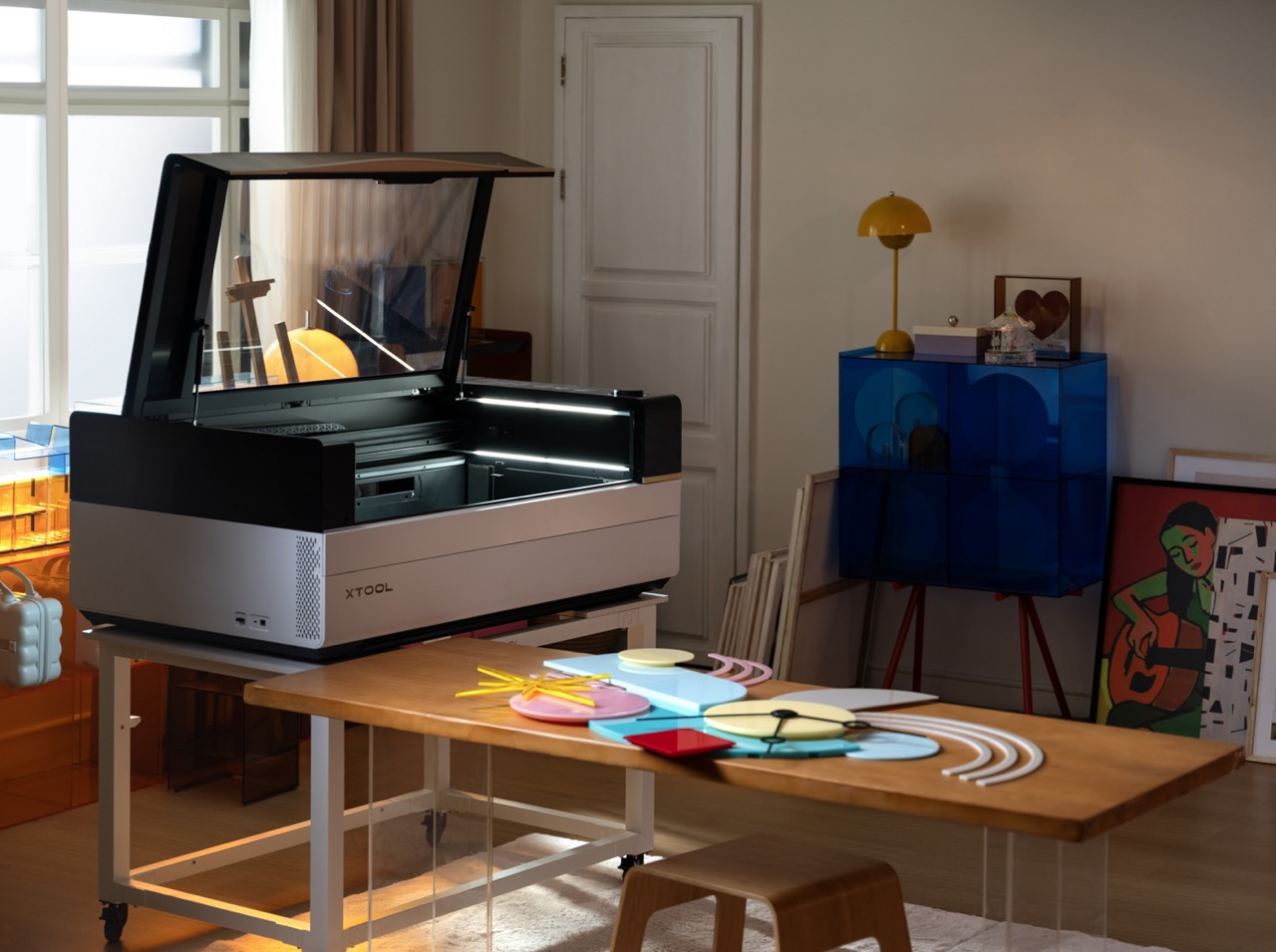
The laser cutter brings a completely new way to schools and educational institutions to combine digital design and concrete making. A student can design a part, structure, sign, scale model or other product on a computer and manufacture it from, for example, wood, cardboard or acrylic during the same lesson.
xTool's enclosed laser cutters are particularly suitable for STEAM education, technical work, fine arts, technology education, CAD design, robotics, prototyping, and digital manufacturing environments in universities and vocational schools.
When choosing a laser for school use, however, laser power alone is not the answer. Essential issues include safety, ease of use, material selection, work area, working speed, smoke extraction, and the size of the user group the machine is intended to serve.
Laser cutting is well suited for project- and phenomenon-based teaching because digital design quickly transforms into a physical product. At the same time, students learn about dimensional accuracy, material properties, manufacturability, and iterative product development in addition to design.
Lasers can be used for example:
A laser cutter is a particularly good complement to a 3D printer. While 3D printing is suitable for producing three-dimensional parts, a laser cutter is a very fast way to produce structures and parts from two-dimensional sheets.
For lasers intended for school use, it is worth paying special attention to the laser classification and the configuration in which the classification is valid.
A Class 1 laser device is designed so that the user is not exposed to dangerous laser radiation during normal use. In practice, the working area is enclosed and the device's safety switches monitor, for example, the position of the protective cover.
This difference is directly reflected in our range: the same machine is often sold as two different products. For example, the P2S has a Class I version, which is also suitable for consumer and school use , and a Class IV version, which is intended for professional use only . When purchasing for schools, it is a good idea to explicitly state the classification in the request for quotation.
However, a Class 1 rating does not mean that the laser cutter does not require safe use. Laser cutting produces heat, smoke and, depending on the material, various particles and gases. The device should not be left running unattended, and the school should have a clearly defined list of approved materials.
In addition, smoke extraction must be properly arranged, either by safely venting the exhaust air outside or by using a suitable air purification system. An automatic CO2 extinguishing system is also available to combat fire hazards, which is an addition worth considering in a school environment.
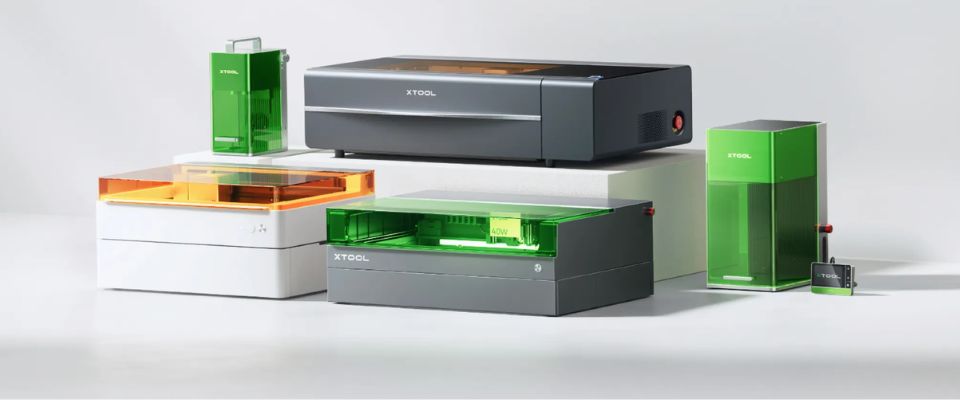
The xTool M2 is a sealed diode laser, whose strengths for school use are its compact size, easy setup and camera-based alignment. The M2 is a class 1 laser device in a sealed housing.
The M2 is particularly well suited for schools, where the laser is used to cut and engrave materials such as wood, plywood, cardboard, paper, felt, leather and other relatively thin materials.
The M2 has a working area of ??426 × 320 mm , so it can accommodate typical student work. We have two power options in our range: a 10 W basic model and a 20 W basic model . 10 W is more than enough for standard 3 mm plywood and cardboard work; 20 W cuts linden plywood up to 10 mm and is clearly faster when the same work is done by the whole class.
In M2, a camera system makes it easier to align the material and the plan. This is useful in teaching because the student can visualize from the screen where the plan is placed in the material.
If smoke extraction is resolved immediately when purchasing the equipment, it is also worth looking at the M2 and SafetyPro AP2 air purifier package .
M2 is particularly suitable for:
The limitation of the M2 compared to CO 2 lasers is the wavelength of the diode laser. For example, it is not possible to cut clear acrylic in the same way as with a CO 2 laser.
The xTool S1 is positioned between the M2 and CO 2 lasers in terms of its intended use. It is a sealed diode laser with a larger working area than the M2 and a 40 W diode laser that cuts significantly faster than lower-power diode lasers.
Our S1 is available in a 40W Basic Bundle configuration, which is also suitable for consumer and school use as a Class 1 device . The machine is also available with an infrared laser module for metal engraving and a 40W power upgrade module .
Instead of a camera, the S1 uses a precise machine coordinate system for alignment. Automatic focus and material height measurement make daily use easier.
When you want smoke extraction at the same time, the S1 All-in-one SafetyPro includes an air purifier, a lifting platform and a rotation shaft in addition to the machine.
S1 is particularly suitable for:
The S1 is a good option when the material range of a CO2 laser is not needed but the greater power and capacity of a smaller diode laser are beneficial.
The xTool P2S uses a 55 W CO 2 laser. CO 2 technology brings one very significant advantage to school use: it can also process materials that cannot be effectively cut with a blue diode laser.
Cutting clear and colored acrylic in particular is one of the most important reasons to choose a CO 2 laser. We have a wide range of acrylic and plastic materials as well as wood and sheet materials for this purpose.
The P2S has a working area of ??600 × 305 mm , and the machine uses a camera system to align the material and the machining.
A 55 W CO2 laser also makes ordinary plywood and woodwork significantly faster than with a low-power diode laser. This is emphasized in schools, for example, if an entire class is preparing their own work during the same lesson.
Schools should specifically choose the Class I version . The same machine is also available in a Class IV version , which is intended for professional use only and requires separate protective measures.
P2S is particularly suitable for:
The xTool P3 is the most powerful and largest laser cutter in this comparison. It uses an 80 W CO 2 laser and has a working area of ??914 × 457 mm – 2.2 times the working area of ??the P2S.
Thanks to its large work area, the P3 is suitable for situations where larger projects are being produced or where you want to produce several small student projects on the same work surface.
In P3, multiple cameras, an automatically rising platform, and automated measurement and alignment functions make material alignment and the work process easier.
The advantage of the P3 in classroom use is not only the greater maximum thickness. A more significant benefit may be capacity : when working with a large group of students on the same machine, the faster laser and larger work area reduce queuing.
Please note the laser rating. We sell the P3 as a professional device – both as a stand-alone machine and as a Versatile Bundle . If you are purchasing a Class 1 machine, please check with us for the laser rating before ordering – especially if you are adding a long material conveyor to the configuration, which will change the system rating.
P3 is particularly suitable for:
| Feature | xTool M2 | xTool S1 | xTool P2S | xTool P3 |
|---|---|---|---|---|
| Laser technology | Diode | Diode | CO2 | CO2 |
| Power | 10W or 20W | 40W | 55W | 80W |
| Work area | 426 × 320 mm | 498 × 319 mm | 600 × 305 mm | 914 × 457 mm |
| Laser class in our selection | Category 1 | Class I | Class I or IV | For professional use |
| Typical strength | Ease and compact size | Powerful diode laser | CO 2 laser and wide range of materials | Large capacity and working area |
| Plywood and wood | Very good | Very good | Very good | Very good |
| Cardboard and paper | Very good | Very good | Very good | Very good |
| Clear acrylic | Not suitable for normal cutting | Not suitable for normal cutting | Yes | Yes |
| Camera alignment | Yes | No, coordinate-based alignment | Yes | Yes |
| The most suitable environment | Classroom / First Laser | Classroom / makerspace | Technical work / makerspace / laboratory | Large makerspace/laboratory/vocational education |
Choose the M2 when you want an accessible, compact laser for common school wood, plywood, cardboard and craft projects.
Choose S1 when the diode laser has a sufficient material selection but requires more power, a larger working area and more capacity.
Choose P2S when you also want to use clear acrylic in your teaching or when you need the speed and material selection of a CO2 laser from the machine.
Choose P3 when the laser is being used as a central digital fabrication tool for a school, educational institution, or makerspace and there are many users or jobs to be made.
If your training also includes metal marking or glass engraving, you should also look at the F1 Ultra Class 1 , which is a tabletop fiber and diode laser combination.
Laser classification primarily addresses laser radiation safety. It does not eliminate emissions resulting from heating materials.
In all four options, the school should plan smoke extraction as part of the equipment purchase. The best solution depends on the space. The exhaust air can be properly vented outside or an efficient filtration system designed for lasers can be used in conjunction with the machine. Our range includes, for example, a table-top air purifier for smaller machines, the SafetyPro AP2 , and for larger use , the SafetyPro AP2 Max , which has HEPA, gas and formaldehyde filtration.
At the same time, it is worth determining a list of permitted materials for the school. Unknown plastics should not be processed with a laser, as their composition or the compounds formed when heated may not be known. The easiest way to ensure the suitability of the material is to use materials intended for laser cutting , which have ready-made machining values.
Using a laser cutter in teaching does not require that every student use the machine independently.
A model that works with younger students is often for students to design themselves and the teacher to initiate production. Older students can use the device under supervision once they have been taught about safe use, materials, and work procedures.
This way, the same device can be utilized at very different grade levels.
xTool devices can be operated with xTool Studio software. From a teaching perspective, the advantage of a single software environment is that learning the basic functions of the device does not require a complex CAM environment like industrial lasers.
The work can be imported into the software as vector graphics or images, for example. Students can also design in other software and use the laser as the actual manufacturing device.
This enables, for example, the workflow:
There is not one right laser cutter for all schools.
On a smaller scale, the xTool M2 offers an accessible way to get started with laser cutting. The xTool S1 increases the power and capacity of a diode laser. The xTool P2S brings the wider material range of a CO2 laser and the ability to cut clear acrylic. The xTool P3 is suitable for environments where a large working area, speed and capacity are required from a laser.
The school should therefore start with three questions:
Once these questions are clear, the appropriate xTool model can be selected much more sensibly than based on laser power alone. View our full range of laser cutters or ask us for help with your school's equipment purchase.
It comes down to the wavelength of the light. The diode laser's blue light, around 450 nm, passes straight through clear acrylic without burning or cutting it at all. The CO? laser's invisible far-infrared beam, around 10,600 nm, is absorbed completely by acrylic, which makes it possible to cut and engrave clear and coloured acrylic cleanly with polished edges.
A Class 1 laser is fully enclosed and fitted with safety interlocks, so the beam cannot escape. It is harmless to users in normal operation and requires no protective eyewear, which makes it directly suitable for school use. A Class 4 machine is open or allows exposure to hazardous direct or reflected radiation, which requires protective eyewear, a separate room and strict professional safety arrangements.
A laser must never be used on PVC, vinyl or other plastics containing chlorine or PTFE, because when heated they form extremely toxic and corrosive chlorine gas (hydrogen chloride), which is life-threatening and destroys the machine's electronics. Synthetic leather, resins and unknown plastics are also prohibited because of toxic or highly flammable gases.
The change interval depends entirely on how much the machine is used and which materials are cut. Materials that smoke heavily, such as plywood, MDF and leather, clog the pre-filter and the HEPA filter considerably faster than acrylic. In school use the pre-filter is typically changed every few weeks or months, while the main (HEPA) and activated carbon filters often last from six months to a year. The filter system usually signals a drop in suction with a tone or an indicator light.
100% Trustworthy online store with history
Expert customer service
Fast deliveries
Large selection directly from stock
No middlemen - save on the price






 Suomeksi
 På Svenska