Shaper - the handheld CNC router: what it is and who it suits
58 minutes ago
The Shaper is a handheld CNC router: as compact and easy to use as a router, as precise as a stationary CNC machine. The machine is taken to the workpiece, not the other way round. Using its built-in camera and the ShaperTape positioning tape, it determines its position on both small and large workpieces and makes precise automatic corrections as you follow the routing path shown on the display.
This guide explains how the Shaper works, which jobs the manufacturer intends it for, what is included in the scope of delivery and how the four configurations differ from one another.
Commissioning is includedNettiverstas has long experience in CNC machining. Every machine purchase includes free remote commissioning guidance or on-site training at Nettiverstas in Rovaniemi.
How does the Shaper work?
The Shaper uses an integrated camera system. The machine orients itself by means of the ShaperTape applied to the workpiece, and it knows its exact position on the workpiece at all times. You guide the machine by hand along the routing path, and the machine takes care of the precision.
Automatic routing correction. As you follow the cutting path shown on the display, the machine makes small automatic corrections. If the correction range is exceeded, the spindle automatically lifts the cutter out of the material.
Design directly on the machine. Most designs can be created directly on the Shaper: circles, rounded rectangles, polygons and simple text are available without a computer.
Touchscreen. Thanks to the large integrated touchscreen, the machine is operated without CAD or CNC expertise, without G-code or conventional CNC programming. In the manufacturer's words: if you can use a smartphone, you can use the Shaper too.
AutoPass on board. AutoPass is automatic routing depth adjustment. When you start a new routing pass, the Shaper automatically moves to the next depth. The finishing pass can also be automated, and at the end the cutter rises automatically.
Offset function in 0.01 mm increments. The built-in offset function lets you fine-tune the fit in 0.01 mm increments, for example when recessing fittings and for joints and inlays.
Brushless EC-TEC spindle. The spindle runs quietly and, thanks to brushless technology, is virtually maintenance-free. Integrated LED lighting improves visibility of the routing point.
Wi-Fi and USB. Software updates and the transfer of routing files take place via Wi-Fi or, offline, via the USB port.
What is the Shaper used for?
The manufacturer names five main applications for the Shaper:
Complex joints. From straight or angled mortise and tenon joints to dovetail joints and individual free-form joints. The fit is arrived at step by step. The Shaper Workstation is made for this work.
Recessing fittings. Fittings are installed precisely using digital templates; hundreds of fitting templates from leading brands are available free of charge. The Shaper Plate is made for this work.
Engravings. Lettering, logos and signs are designed and routed directly on the machine.
Flooring work. Installation and repair work on floors and parquet is carried out directly on site. According to the manufacturer, the Shaper is the only CNC machine that floor and parquet layers can also use on the construction site.
Inlays. When the male and female parts of an inlay are routed with the Shaper, the parts are matched to each other with the offset function in 0.01 mm increments.
The machine weighs less than 10 kg and travels in a Systainer from the workshop to the construction site, so CNC machining is possible even in a small workshop.
Technical data and scope of delivery
Power consumption
840 W
Router spindle power requirement
720 W
No-load speed
10,000-26,000 min-1
Digitally adjustable routing depth
43 mm
Mains cable length
3 m
Weight without accessories
6.75 kg
Transport weight with equipment
11.9 kg
The scope of delivery of the basic machine Shaper includes:
2 × ShaperTape positioning tape
collet Ø 8 mm and reducing sleeve Ø 1/4" (6.35 mm)
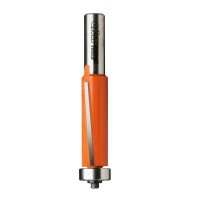
spiral groove cutter 6 mm, spiral groove cutter 3 mm and engraving cutter 60°
4 mm T-handle hex key and open-ended spanner, size 19
extraction hood and Systainer SYS3 M 437
So everything needed for your first routing jobs is included. Additional router bits and collets are presented in the guide Shaper router bits and collets.
Four configurations: which set for which job?
The machine is the same in every set, and the basic scope of delivery is the same. The sets differ in which parts of the system come with them.
Configuration
Additionally included
Suitable when
Shaper
-
you want the machine and will add to the system later
Shaper + Workstation set
clamping and routing station Workstation and table extension
you make joints and machine edges and end faces
Shaper + Plate set
universal template Plate and edge guide
you recess fittings and hinges and do repetitive routing jobs
Shaper + BenchPilot set
CNC automatic control BenchPilot, workstation Workstation and table extension
you rout small batches and long or repetitive jobs
All parts are also available separately, so you can get from the basic machine to any configuration afterwards.
The system components in brief
The Shaper Workstation clamps the workpiece vertically or horizontally for machining joints as well as edges and end faces. Read more: Workstation and BenchPilot.
The BenchPilot takes over control of the Shaper: the machine is placed in the BenchPilot and you have an independently operating CNC machine for surface and end-face machining.
The Shaper Plate is a universal template for fast and precise positioning. Read more: Plate and Trace.
The Shaper Trace converts a hand-drawn sketch into a vector graphic from a smartphone photo.
Shaper Studio is drawing software developed for this purpose. It is used on any device, and designs are synchronised or exported directly to the machine.
ShaperHub is a constantly growing selection of drawings, routing patterns for fittings and projects that have been adapted to suit the Shaper.
Do you need CAD or CNC expertise to use the Shaper?
No. According to the manufacturer, the machine is operated from a large touchscreen without CAD or CNC expertise, without G-code or conventional CNC programming. The routing data is created directly on the display or imported into the machine.
How does the Shaper know where it is?
The machine's camera system detects the markings on the ShaperTape applied to the workpiece and uses them to determine its position in real time.
What happens if I steer the machine too far off the path?
The machine corrects the movement automatically during routing. If the correction range is exceeded, the spindle automatically lifts the cutter out of the material.
Is AutoPass included with the machine?
Yes. On the Shaper, AutoPass is included as standard. The separate software extension is intended for Shaper machines.
How heavy is the machine?
The machine weighs 6.75 kg without accessories, and its transport weight with equipment is 11.9 kg.
Commissioning is includedNettiverstas has long experience in CNC machining. Every machine purchase includes free remote commissioning guidance or on-site training at Nettiverstas in Rovaniemi.
The Shaper product family arrives at Nettiverstas in early 2027
Join the advance list and be among the first to hear about the launch, pricing and commissioning training. Joining commits you to nothing, and you can leave the list at any time.
Our online store stores tracking information to keep your online store and shopping cart working. Without accepting the necessary cookies, the online store will not work properly.
 Login






 Suomeksi
 På Svenska